AI Writing Assistance
Use the AI to draft, edit, improve, and format your academic paper.
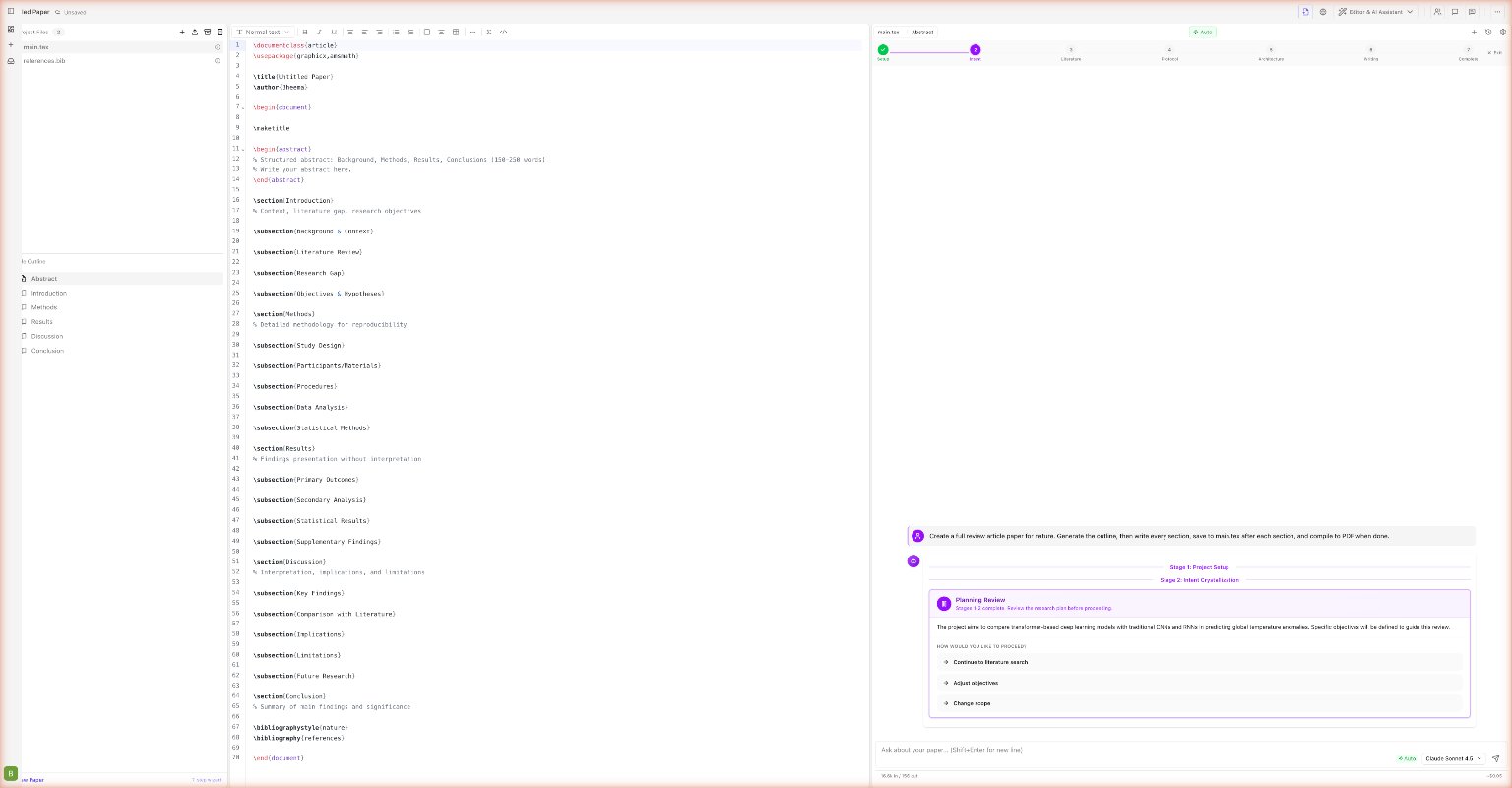
What the AI can write
Drafting new content
| Request | What happens |
|---|---|
| "Write an Introduction" | Drafts a full section, inserts into main.tex |
| "Write a Related Work section citing my references" | Reads your .bib file, writes a narrative paragraph |
| "Add a Methodology section explaining our three-step approach" | Creates the section with your described steps |
| "Write a conclusion summarizing the paper" | Reads the entire paper, writes a coherent conclusion |
| "Generate an abstract" | Reads all sections, writes a structured abstract |
Editing and improving
| Request | What happens |
|---|---|
| "Improve the clarity of the Introduction" | Rewrites the section with clearer language |
| "Make the abstract more concise" | Trims to essential points without losing meaning |
| "Fix grammar and style in the Related Work" | Corrects grammar, improves academic tone |
| "Restructure the Methodology section" | Reorganizes the content into a better flow |
| "Translate this paragraph into formal academic English" | Rewrites colloquial language formally |
Journal formatting
Ask the AI to reformat your paper for a specific venue:
Format this paper for IEEE Transactions. Update the preamble,
adjust margins, and use the IEEE author block format.
Supported journals / venues: IEEE, ACM, NeurIPS, ICML, ICLR, Nature, PLOS ONE, Springer LNCS.
Inline suggestions (tracked diffs)
For smaller edits, you can ask the AI to suggest a change rather than apply it directly:
Suggest an improvement to the third paragraph of the Introduction.
Show me the change as a diff.
The AI will:
- Highlight the original text in the editor
- Show the suggested replacement as a tracked diff
- Present Accept and Reject buttons
This is useful when you want to review changes before committing.
The AI reads before it writes
The AI always reads the relevant file(s) before making changes. You never need to paste content into the chat — just say:
"Improve the conclusion"
and the AI will find and read main.tex, locate the conclusion, and edit it in place.
Multi-file awareness
The AI understands your entire workspace:
The Methodology section in main.tex references Figure 3, but I've
renamed it to fig:pipeline. Update all references.
It will use searchInFiles to find all occurrences across all files and update them in a single batch edit.
Writing tips for best results
Be specific about constraints. "Write an introduction under 400 words for a machine learning conference paper" produces much better results than just "Write an introduction."
Use quotes for exact strings. If you want the AI to edit a specific sentence, quote it: "Rewrite the sentence starting with 'Our approach leverages...'"
Iterate freely. The AI remembers the conversation. After it writes a section, say "Make it more formal" or "Add a paragraph about limitations" — it will update the same section again.
Cover letter generation
Generate a journal submission cover letter:
Generate a professional cover letter for submitting to
Journal of Machine Learning Research. Highlight our
main contributions and methodological novelty.
The AI reads your paper and writes a structured cover letter saved as cover_letter.tex.
Submission readiness check
Ask the AI to check if your paper is ready to submit:
Run a submission readiness check for NeurIPS.It will verify: title/author/abstract present, section completeness, citation coverage, figure references, word count, and known formatting requirements.
AI peer review simulation
Before submission, get AI feedback on your paper:
Run a peer review simulation.The AI acts as a reviewer and returns:
- An accept / reject / revise verdict with confidence score
- Scores for originality, clarity, methodology, and significance (shown as a radar chart)
- Section-by-section feedback with strengths and weaknesses
- Questions that real reviewers might ask
Use this to identify weaknesses before actual submission.
arXiv submission preparation
Prepare this paper for arXiv submission.The AI analyzes your paper and suggests arXiv metadata: primary category, cross-list categories, and submission comments.
Content generation tools
The AI can also generate specific LaTeX structures on demand:
- Tables: "Generate a comparison table with 4 methods and 3 metrics"
- Equations: "Write the loss function for binary cross-entropy"
- Pseudocode: "Write the pseudocode for Algorithm 1 using algorithmicx"
- Paper outlines: "Generate an outline for a 10-page survey on LLMs"
See the full AI Tools Reference for all 42 available tools.