PDF Preview
Navigate, zoom, and interact with the compiled PDF directly in the browser — with bidirectional SyncTeX sync.
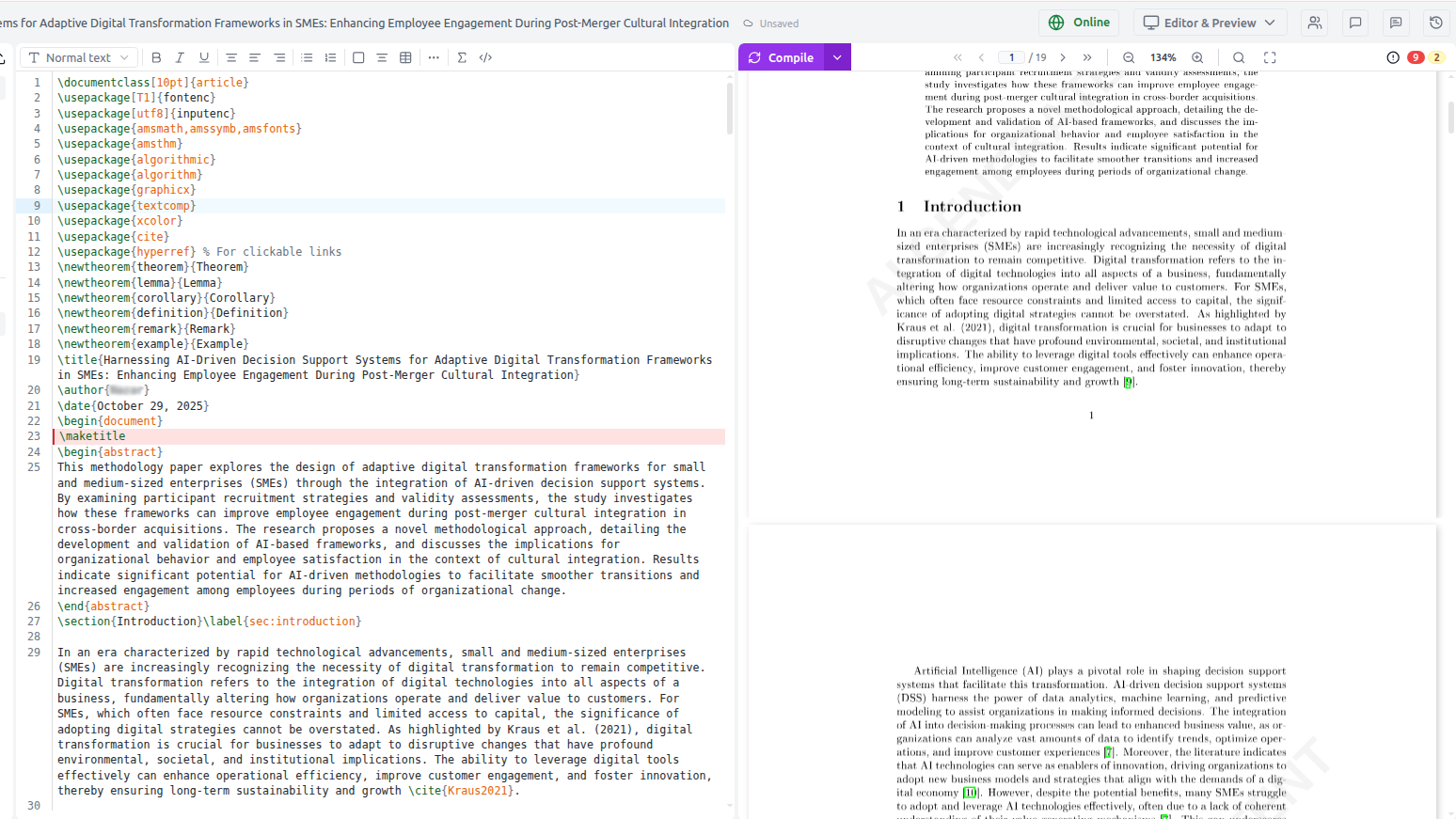
The PDF preview panel displays your compiled paper in real time. It lives in the right half of the editor layout and updates automatically after each successful compile.
Compiling
Click ▶ Compile in the top toolbar or press Ctrl/⌘ + Enter. The PDF refreshes automatically when compilation succeeds.
You can also ask the AI to compile for you: type "Compile the paper" in the chat.
Navigating the PDF
| Action | How |
|---|---|
| Scroll through pages | Mouse wheel or trackpad scroll |
| Jump to a page | Click the page number input and type a number |
| Zoom in / out | + / − buttons, or pinch-to-zoom on trackpad |
| Fit to width | Click Fit Width button |
| Fit to page | Click Fit Page button |
Bidirectional SyncTeX sync
SyncTeX creates a precise mapping between LaTeX source lines and PDF positions.
- Editor → PDF (forward sync): Click anywhere in the LaTeX editor — the PDF scrolls to show the corresponding paragraph or figure.
- PDF → Editor (inverse sync): Click anywhere in the PDF — the editor jumps to and highlights the corresponding source line.
This makes it easy to navigate long papers and find the exact source for any formatted element.
Compilation errors
When compilation fails, the Error panel appears below the PDF:
- Each error and warning is listed with the file name and line number
- Click any error → the editor jumps to that line and highlights it in red
- Click Suggest Fix next to an error → the AI reads the full error log and applies a targeted fix
- Click Ask AI → opens the AI chat pre-filled with the error context
Downloading the PDF
Click ↓ Download in the PDF toolbar to save the compiled PDF to your computer. The filename matches your \title{}.
Opening in a new tab
Click ⤢ Open to view the PDF in a full browser tab — useful for side-by-side review on a second monitor.