Compiling Your Paper
How to compile LaTeX to PDF, choose engines, and run BibTeX.
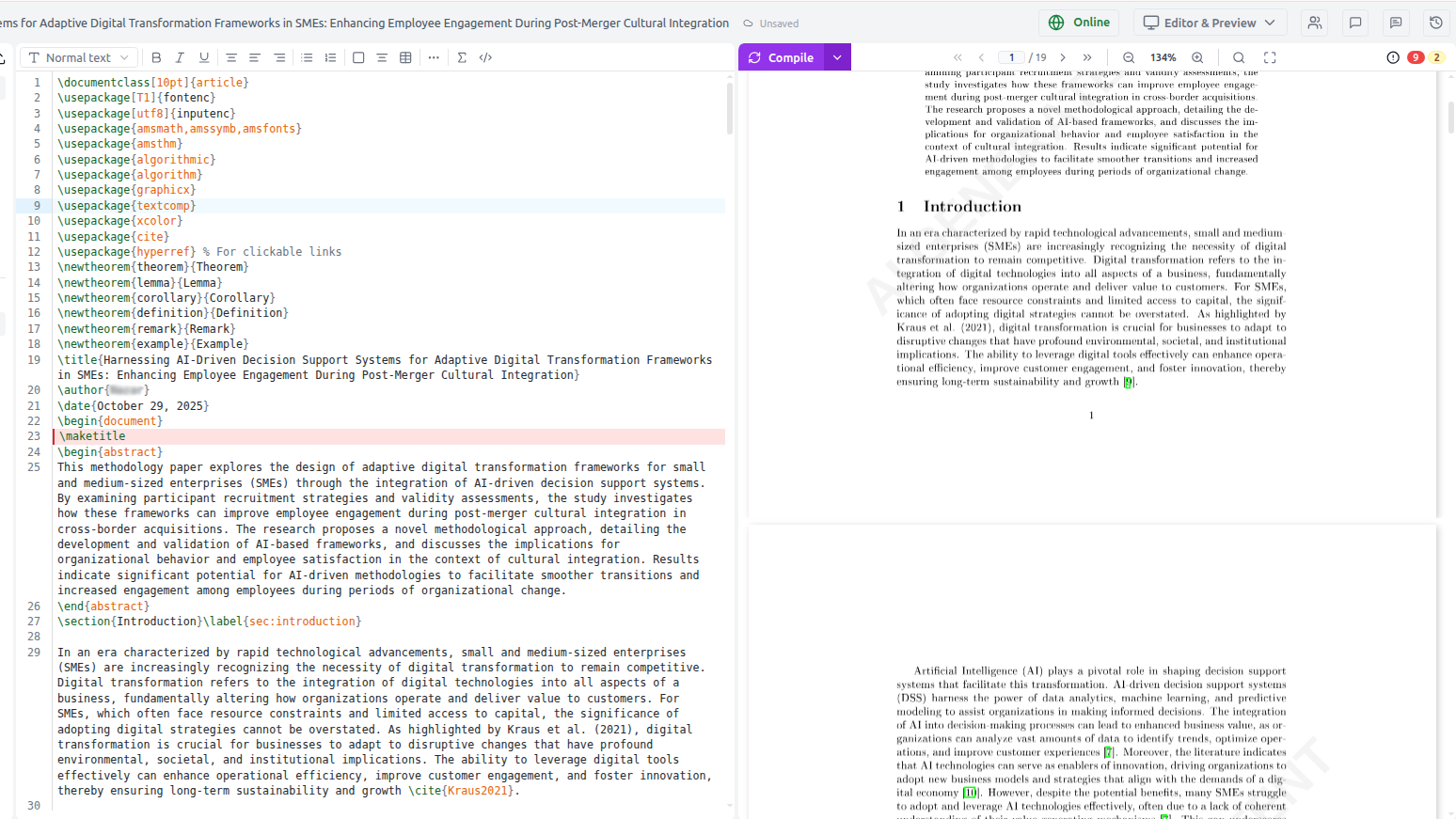
Quick compile
Click the ▶ Compile button in the sidebar toolbar, or press:
Scriptora runs latexmk with your chosen engine and displays the result.
Compilation engines
Select the engine from the compile button dropdown:
| Engine | Best for |
|---|---|
| pdflatex (default) | Standard papers, IEEE/ACM/Springer templates |
| xelatex | Unicode fonts, custom typefaces, right-to-left languages |
| lualatex | Advanced font features, Lua scripting in documents |
Most published templates (NeurIPS, ICML, Nature, IEEE) work with pdflatex. Switch to xelatex only if your template specifies it.
What happens during compilation
- latexmk runs in the project's working directory
- BibTeX / biber processes your
.bibfile for citations - pdflatex runs up to 3 passes to resolve cross-references
- The resulting
.pdfis sent to your browser
Total time: typically 5–15 seconds for a standard paper.
Compilation output
After compilation:
- The PDF preview panel shows the result
- The Error panel (below the PDF) lists all errors and warnings
- Error lines are highlighted in the editor gutter with red markers
- Click any error to jump to the corresponding line
Reading error messages
LaTeX error messages can be cryptic. Common ones:
| Error | Meaning |
|---|---|
Undefined control sequence | Misspelled command or missing \usepackage |
Missing $ inserted | Math mode command used outside of $...$ |
File not found | Missing .bib file, missing figure, or wrong path |
Overfull \hbox | Content too wide for the column — a warning, not an error |
Citation undefined | BibTeX key not found in .bib file |
AI-powered error fixing
After a failed compilation, click Fix errors with AI in the error panel. The AI:
- Reads the full error log
- Identifies the root cause
- Applies targeted fixes using
editFile - Recompiles to verify
For complex errors, the AI will explain what it changed and why.
You can also just say "Fix the compilation errors" in the chat panel. The AI will compile, read the log, and fix issues in a single workflow.
BibTeX and citations
If citations appear as [?] in the PDF:
- Check that your
.bibfile has entries matching the\cite{key}keys - Run a full compile (latexmk handles the BibTeX pass automatically)
- If citations still don't appear, ask the AI: "My citations aren't showing. Fix the BibTeX setup."
Compilation warnings
Warnings (overfull boxes, undefined references after first run, etc.) are shown in amber in the error panel. They do not prevent PDF generation — you can choose whether to address them.
Overfull \hbox warnings are very common and usually harmless. Address them only when the journal requires clean compilation output.